Situation
ARTag was my final-year Computer Engineering capstone (CG4002) at NUS, where a team of five built a laser tag system covering five mandatory components: custom hardware, AR game output, internal communication, external communication, and FPGA-based AI action classification. I volunteered for the AR game output component, becoming the first and only person in the course's history to use Microsoft HoloLens 2 for a heads-up AR display instead of a smartphone.
ARTag was my final-year Computer Engineering capstone project (CG4002) at NUS, undertaken with a team of five. The module required teams to build a laser tag system from scratch, with each team member owning one of five mandatory system components:
- 01Custom hardware for game input
- 02Custom software for AR game output
- 03Internal communication between all system components across hardware and software
- 04External communication with the game evaluation server
- 05An AI model deployed on FPGA for real-time user action classification across different game attacks
I volunteered to own the AR game output component, and was the first and only person in the course's history to use Microsoft HoloLens 2 for the heads-up software layer responsible for visualizing live match data and special game effects directly in the player's first-person view.
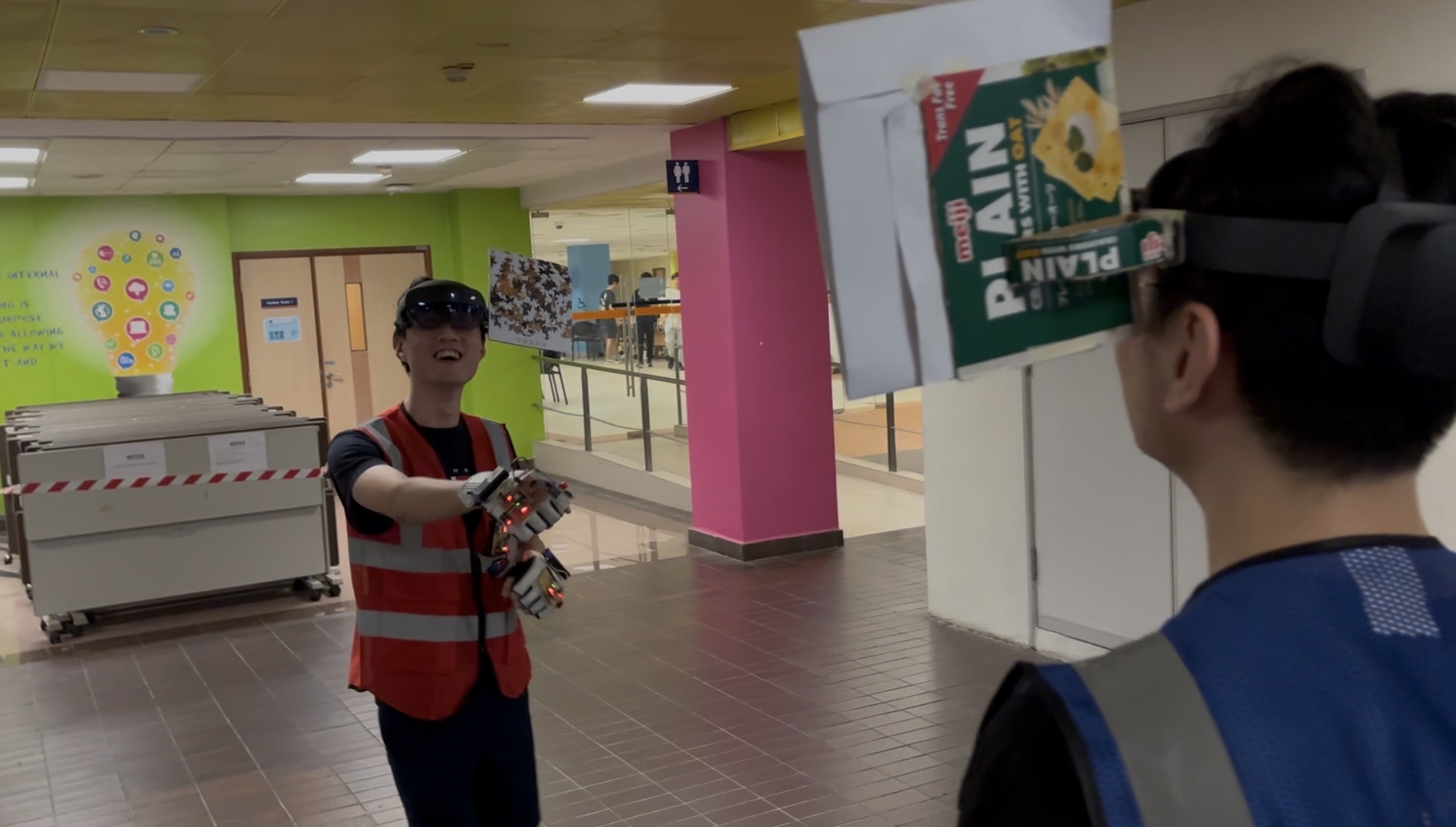
CEG Capstone Project — AR Laser Tag System
Task
My scope covered the full AR software layer: a heads-up AR game visualizer on HoloLens 2 showing live health, shields, and attack outcomes in the player's first-person view; the AR image recognition anchor for player tracking; a conversational AI game tutor; and integration of all components with the hardware system via MQTT.
As the owner of the AR game output component, my responsibilities were:
- Design and develop the heads-up AR game visualizer on Microsoft HoloLens 2 — displaying live player health, shield status, and attack outcomes directly in the player's first-person view
- Integrate the AR visualizer with the rest of the system — receiving real-time inference results from the FPGA action recognizer and game state from the evaluation server via the MQTT broker
Actions
I self-taught HoloLens 2 development via Microsoft Learn, tested four AR anchor designs to find the optimal head-attached configuration, and built an OpenAI-powered conversational AI tutor in a 3D mixed reality tutorial room. I volunteered to set up MQTT integration after a team ownership gap emerged, contributed action data for AI model training, and stepped in to maintain team morale during a repeated Bluetooth connectivity crisis — ultimately helping the team reach ~90% AI action prediction accuracy.
Developed the heads-up AR game visualizer
- Built the HoloLens 2 Unity application with real-time AR overlays showing player health, shield status, and attack outcomes in the player's first-person view
- Designed spatial UI elements anchored to the physical world rather than screen-space to maintain immersion during gameplay
- Implemented dynamic visual feedback — hit animations, shield break effects — triggered by live game state from the evaluation server
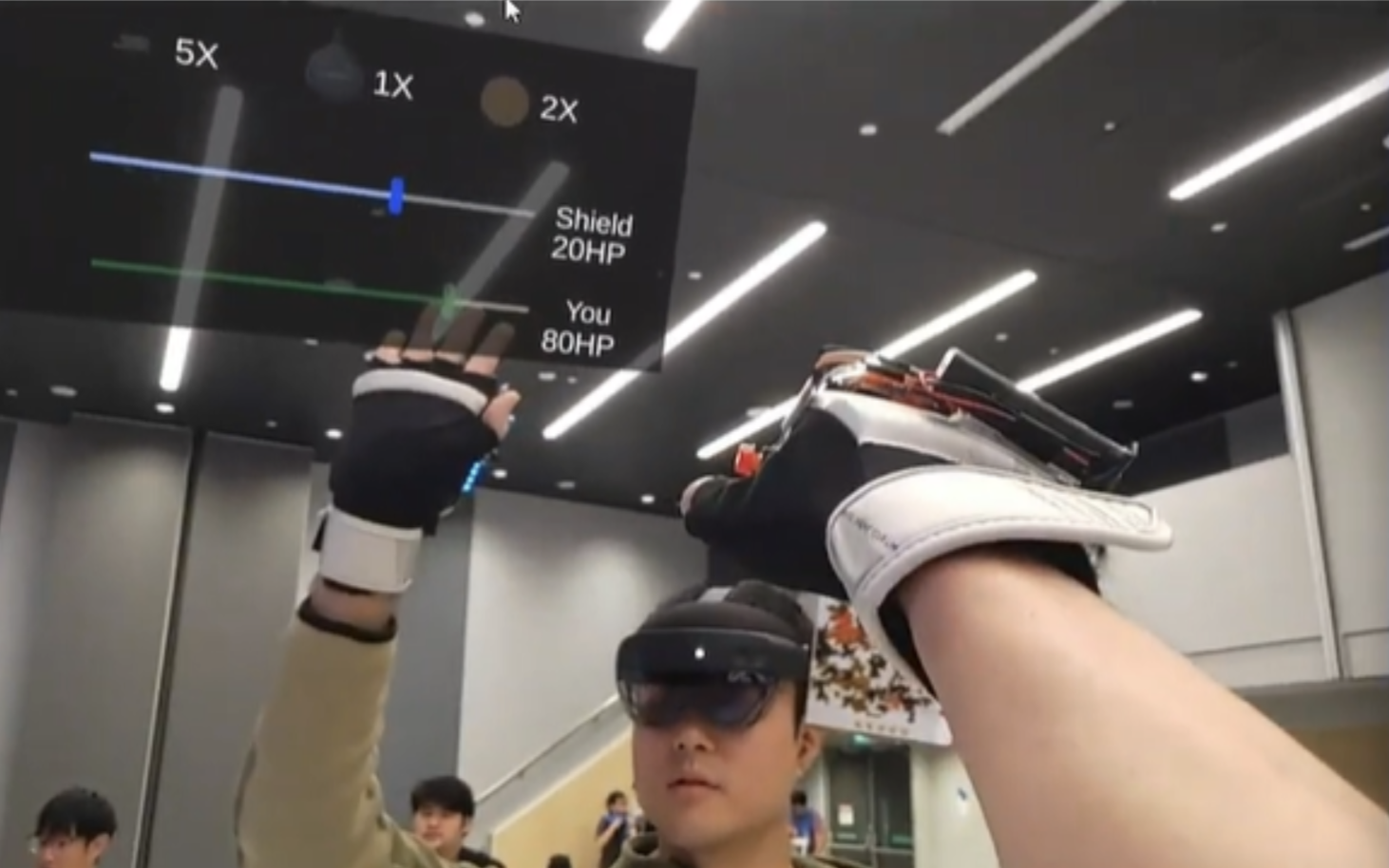
AR game visualizer UI on Microsoft HoloLens 2
Designed a user-friendly AR image recognition anchor
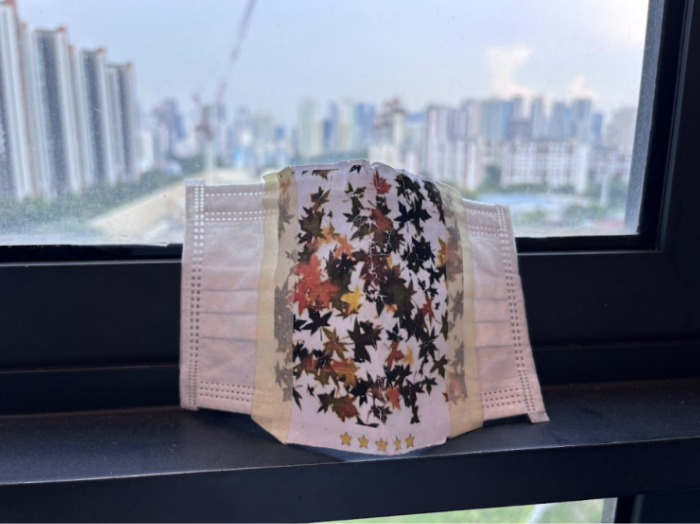
A6 — Mask-based
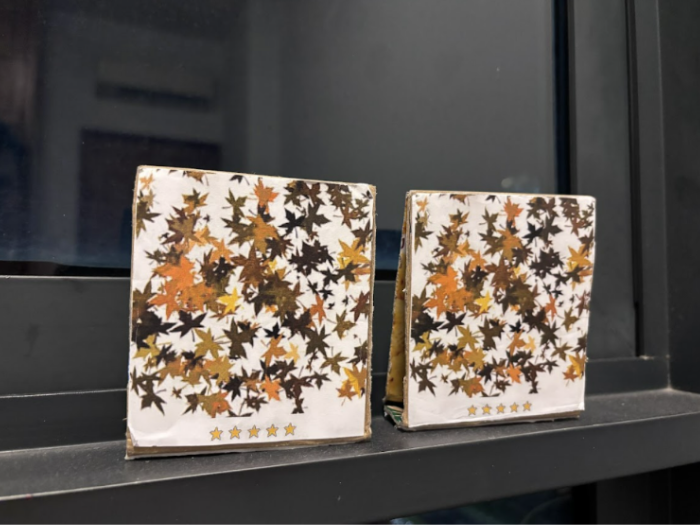
A6 — Shoulder-top
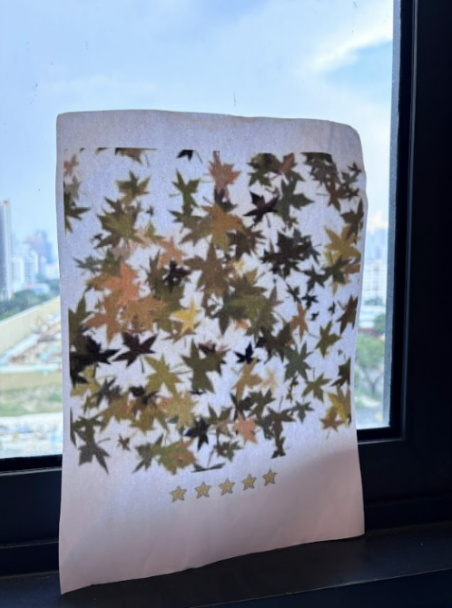
A4 — Player chest
.png)
A4 — Head-attached ★ Final design
Integrated with the full hardware system
- Implemented MQTT-based communication connecting the HoloLens 2 to the broker laptop, game evaluation server, and FPGA inference output
- Coordinated with teammates responsible for the FPGA pipeline and sensor hardware to align data formats and message schemas
- Debugged end-to-end latency across the full system to ensure AR feedback felt responsive during live gameplay
Supported team-wide AI training data collection
- Provided repeated action data for all game attacks — including fencing attack, badminton attack, and shield activation — to build a diverse and representative training dataset
- Helped troubleshoot hardware issues with the team during data collection sessions, such as inconsistent Bluetooth BLE connection between the wearable sensors and the laptop
Implemented a conversational AI game tutor
- Created a separate mixed reality space that users can enter in HoloLens 2 for the tutorial experience
- Integrated the OpenAI API to build an embodied conversational agent that accepts freeform speech input from the user and answers questions about game rules in natural language
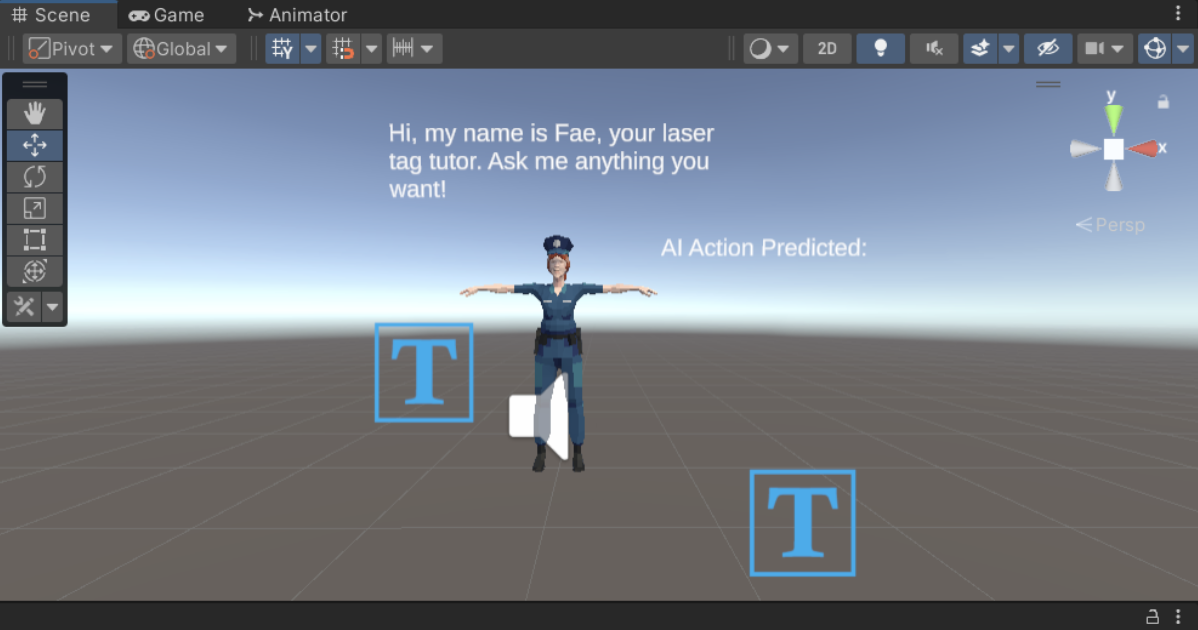
Development process behind the conversational AI game tutor
Results
Our team was the first and only in the cohort — and in NUS CEG capstone history — to deliver a heads-up AR system using HoloLens 2 instead of a smartphone, achieved the second highest AI action prediction accuracy in the cohort, and secured an A grade for the capstone.
- The first and only team in the cohort — and in NUS CEG capstone course history — to complete the project with a wearable heads-up AR display using Microsoft HoloLens 2, instead of a smartphone
- Achieved the second highest AI game action prediction accuracy score in the cohort during the final evaluation
- The team secured an A grade for the capstone
- Delivered a fully functional wearable AR laser tag system integrating motion-sensing hardware, FPGA-based real-time action recognition, spatial AR visualization, and a conversational AI game tutor
.png)
First and Only Heads-up AR Display CEG Capstone Project in NUS CEG Course History
Key Takeaways
ARTag taught me to own complex technical workstreams in a hardware-software team, learn unfamiliar platforms under time pressure, proactively bridge communication gaps through volunteering, and maintain team cohesion during critical setbacks.
Through this project, I strengthened my ability to:
- Own end-to-end technical workstreams within a multidisciplinary hardware-software team
- Work with unfamiliar technologies such as Microsoft HoloLens 2 under time constraints through self-directed learning
- Hands-on development and design in mixed reality — spanning AR game visualisation, conversational agents, and multiplayer game systems
- Bridge ownership misunderstandings in team task allocation through proactive communication and volunteering to fill gaps
- Maintain team unity and morale during unexpected setbacks, keeping the team focused and collaborative despite repeated failures